Mobile BI Tools for Citizen Data Scientists!

Mobile BI Tools Support Citizen Data Scientists and All Team Members With Access to Critical Data!

When a business takes on a Citizen Data Scientist initiative, it must provide the tools and techniques the business user will need to support the new role. Augmented Analytics is key – with features and tools that make it easy to integrate, find, analyze and share data across the enterprise.

Gartner has predicted that, ‘90% of corporate strategies will explicitly mention information as a critical enterprise asset and analytics as an essential competency.’

If your organization is doing it right, the Citizen Data Scientist initiative will incorporate support to change the culture, to update the employee evaluation process to encourage the use of analytics and fact-based decision-making, and other factors that influence user adoption and enable the business to move forward with a team alignment.

But one thing many businesses fail to consider is the need for these tools outside the walls of the office environment. If the global pandemic taught us anything is that many employees were forced to work at home or in settings outside the typical office facility. Today, many companies have embraced this concept on a long-term basis, allowing their employees to work from home, or in remote group locations. But even if your business is situated in one more office buildings or store fronts, the chances are good that your team members spend a certain amount of time working outside the office, after hours, on weekends, etc.

‘Mobile BI tools provide the support for your Citizen Data Scientists, data scientists, business analysts, team members, executives, and managers so that every business user can access and analyze data, share, and collaborate.’

Teams today are asked to do more with less and, as work hours expand, and the expectations of businesses change, the team must adapt. Managers, executives, IT teams and others find themselves in situations where they must check the status of a project, approve a purchase or resource acquisition, communicate with a team and assess the need to make changes – the list goes on and on!

Mobile BI Supports Citizen Data Scientists and Data Literacy

Mobile BI tools provide the support for your Citizen Data Scientists, data scientists, business analysts, team members, executives, and managers so that every business user can access and analyze data, share, and collaborate and make decisions on the fly, in a staff meeting, in an airport or hotel, or at home.

To ensure that you choose the right tools for your Citizen Data Scientists, look for a Mobile Business Intelligence solution that offers the following features and functionality:

  • Native app, with seamless user interface for a great user experience (Ux). Available for iOS and Android
  • Extends the office environment. Allows swift analysis and decisions from anywhere
  • Encourages user adoption and provides support for BI investments and data democratization
  • Access rights are defined on the server so security and privacy is ensured at all levels
  • Hosted anywhere within IT infrastructure – on premises, public or private cloud
  • Business Users have access to dashboards, reports, Clickless Analytics – Google-type Natural Language Processing (NLP) Search functionality
  • Start-up is easy, within a few minutes and support is readily available

‘One thing many businesses fail to consider is the need for BI tools outside the walls of the office environment.’

If you want to support your Citizen Data Scientists and every member of your business user team, explore Smarten Mobile Augmented Analytics And Mobile BI. Add powerful functionality and access for your business users with out-of-the-box Mobile BI and advanced analytics for every team member. For more information on Mobile BI and Augmented Analytics, read our article, ‘Understanding The Truth About Mobile BI.’

Original Post : Mobile BI Supports Citizen Data Scientists and Data Literacy!
Self-Serve Cross-Tab BI Tools Reveal Issues and Possibilities!

Self-Serve BI Tools with Cross-Tab Reporting Improve Clarity and Results!

If you are considering a Business Intelligence solution or BI tool, or if you wish to upgrade your business intelligence and reporting tools, look for a solution that has self-serve cross tabulation, or cross-tab reporting. Cross-Tab reporting reveals the relationship between two factors or targets. This analytical tool can be used for side-by-side comparisons and to compare results for one or more data points, variables, or targets.

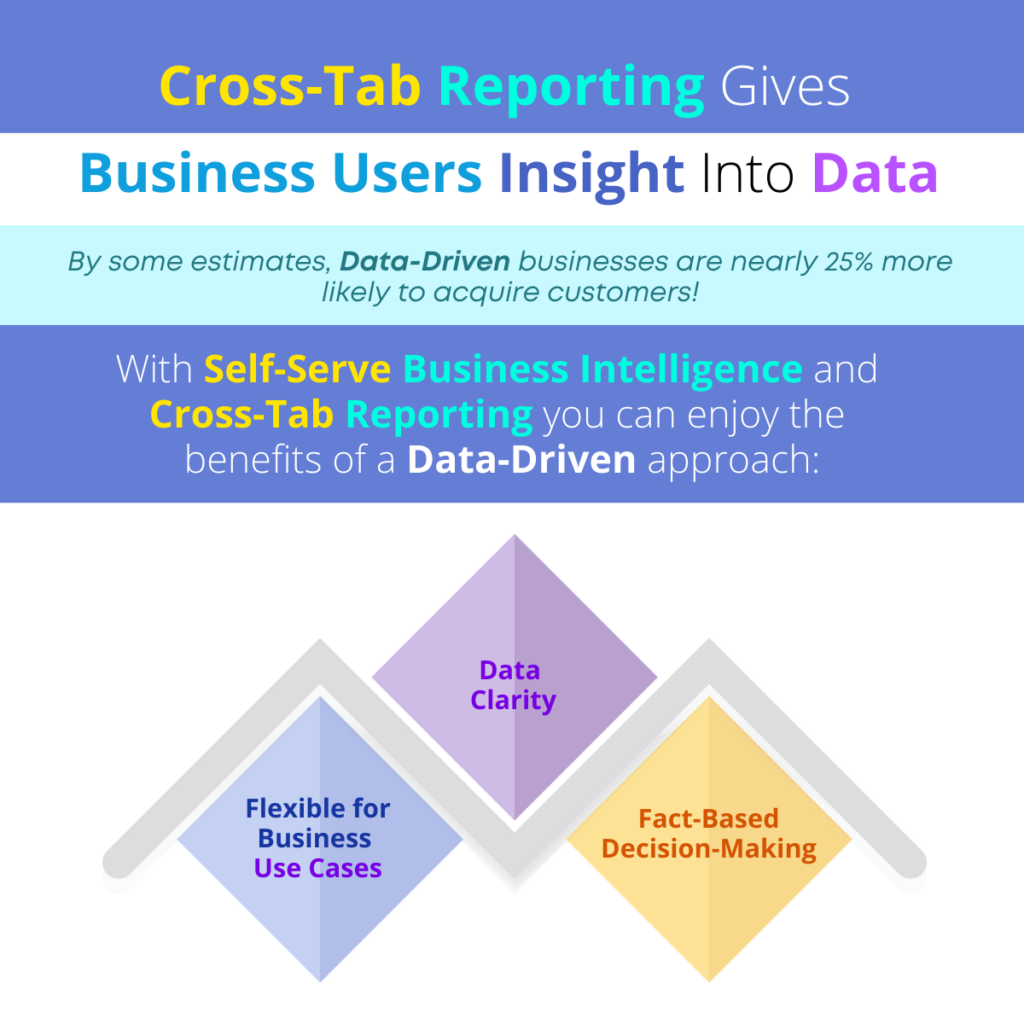
Did you know that, by some estimates, data-driven businesses are nearly 25% more likely to acquire customers? If you can give your team easy-to-use BI tools with self-serve cross-tab reporting, you can put the power of market and customer knowledge in their hands!

‘Business Intelligence solutions with self-serve cross-tab reporting can provide an intuitive, clear method of data analysis for your business users by revealing relationships in a way that makes the results clear and helps the organization to make the best decisions.’

In this article, we discuss the value of self-serve BI tools with Cross-Tab capabilities and the benefits of this type of focus and insight.

Cross-Tab Reporting Gives Business Users Insight Into Data

Benefits of Self-Serve Cross Tabulation Reporting

Flexible for Business Use Cases

Cross-tab reporting allows for intuitive use by business users with average technical skills, and can be beneficial for all types of business functions and industries. In an educational setting, a university or school might use cross-tab reporting to analyze teacher or course evaluations, looking at the relationship between student satisfaction and the subject, the class time, class location and other factors. Businesses can analyze team and employee satisfaction and attrition by looking at job location, benefits, the results of exit interviews, available training, and support, etc. Cross-tab reporting is frequently used in market research to analyze the various factors that relate to product or service satisfaction, including product features and options, where and how the product is sold, the sales and marketing approach, etc. A retail store owner might use cross-tab data analysis to determine customer satisfaction by looking at demographics, the gender of the person buying the product, the price of the product in a particular region, etc.

Data Clarity

There are many ways to slice and dice data and many ways in which crucial information can hide inside that data. The self-serve cross-tab reporting approach allows business users to examine relationships among data points and factors, with more clarity and accuracy. This type of analysis provides more clarity and reveals results, interdependent relationships and factors that might otherwise be missed. Users can avoid confusion when working with data and analyze large datasets to reveal frequencies and percentages. With this information, the business can understand the ‘what if’ of the various factors and see how results would change if one factor or relationship is changed.

Fact-Based Decision-Making

Self-serve cross-tab reporting simplifies analytics and allows business users to spot trends and patterns and collaborate with other team members to adapt tasks and activities to resolve issues and/or capitalize on opportunities. Using cross tabulation reporting to understand the connection and relationship between two or more factors allows the business to make a decision, with confidence. Rather than guessing the reason for declining results, increased employee attrition or other problems, the enterprise can clearly see what factors (and the relationships among factors) are the cause of a problem and how to change those factors to get better results.

‘If you can give your team easy-to-use BI tools with self-serve cross-tab reporting, you can put the power of market and customer knowledge in their hands!’

Business Intelligence solutions with self-serve cross-tab reporting can provide an intuitive, clear method of data analysis for your business users by revealing relationships in a way that makes the results clear and helps the organization to make the best decisions. By giving your team members these tools, you can leverage domain and industry knowledge and combine data analytics in a day-to-day environment without the need for assistance from data scientists or the IT staff. Self-Serve Cross-Tab reporting produces clear results that are easy to understand and can be used in staff meetings and presentations to support recommendations and help the business become more agile.

Look for seamless Business Intelligence Reporting And Flexible Tools that include self-serve Cross-Tab reporting. Provide business intelligence that your IT team can easily implement and support, and a solution that business users will want to adopt. Choose  flexible, agile business intelligence solutions that can be used at all levels to collaborate, share data, and report and communicate with clarity. Self-Serve BI Tools can provide your business with the foundation to achieve your data democratization and user adoption goals.

Original Post : Cross-Tab Reporting Gives Business Users Insight Into Data!

Business Users Love Simple (Yet Sophisticated) BI Tools!

If You Want Business Users to Embrace BI Tools, You Need to Focus on Simplicity!

If your enterprise has not already adopted business intelligence tools, it is missing a crucial benefit in competitive positioning and accurate, dependable decision-making. If your organization has implemented BI tools, but you are falling short on user adoption success, return on investment (ROI) and total cost of ownership (TCO), it is probably because the business intelligence solution is not meant to support business users.

PC Magazine says that, as business users are asked to leverage BI tools, the enterprise must focus on simplicity to engender user adoption.

‘When your team can access BI tools that support the way they work and provide meaningful views and features to easily integrate with work and business processes, user adoption is easier and more immediate.’

To achieve your enterprise goals, ensure user adoption and get the most out of your investment, you must focus on two things: user-friendly features and function and sophisticated analytics.

BI Tool User Adoption Depends on Simplicity!

In this article, we list some of the considerations for business intelligence solution selection or product upgrade. This list is meant to help you assess your current solution, and/or review the capabilities of any BI tool you are considering.

Simplicity in Technology:

  • 100% browser-based solution
  • Intuitive interface
  • Mobile application that is suitable for iOS and Android
  • Simple, affordable licensing
  • Rapid implementation (roll out in minutes, not months)
  • Simple, multi-layered access and user rights management
  • Simple architecture

Simplicity of Use:

  • Ability to personalize dashboards
  • KPI Reporting
  • Easy-to-use reporting tools
  • Collaborative features
  • Social BI for sharing, ranking and commenting
  • Smart Data Visualization
  • Assisted Predictive Modeling
  • Self-Serve Data Preparation
  • Clickless analytics for easy searching and results

The business intelligence tools you select can and should include out-of-the-box, ready-to-use features that are designed to support your applications, your industry, and/or your business function. When your team can access BI tools that support the way they work and provide meaningful views and features to easily integrate with work and business processes, user adoption is easier and more immediate.

‘To achieve your enterprise goals, ensure user adoption and get the most out of your investment, you must focus on two things: user-friendly features and function and sophisticated analytics.’

Look for Ready-To-Use Tools that users will want to adopt. Provide business intelligence that your IT team can easily implement and support, with features your users will readily leverage. Choose  flexible, agile business intelligence solutions that can be used at all levels to collaborate, share data, and report and communicate with clarity. Self-Serve BI Tools can provide your business with the foundation to achieve your data democratization and user adoption goals.

Original Post : BI Tool User Adoption Depends on Simplicity!

Mobile Business Intelligence is Your Secret Weapon!

Give Business Users Mobile BI to Extend the Office and Improve Responsiveness!

Change is ever-present, and no more so than in the past three or four years. As COVID has changed the way people work, and the location in which they do their work, the need for mobile BI Tools has grown exponentially. Neither the organization, nor the business users can afford to delay the use of business intelligence tools until they are in the office. Every business must do more with less.

‘Mobile BI should provide data analytics access for all business users and, above all, provide flexible, agile solutions that can be used at all levels to collaborate, share data and report and communicate with clarity.’

Mobile BI tools can provide support for team members as they travel, as they work from home, and as they collaborate with other team members from a client office, an airport, a train station, or a supplier location.

According to recent studies, the single most important benefit of Mobile Business Intelligence is enhanced data visibility. Another way to look at it is to consider the lost opportunities and the many missteps the organization will experience if it cannot make sense of its data in real time and with a comprehensive view into the data it captures across the enterprise.

Enable User Adoption with Self-Serve BI and Cross-Tab Analytics

Don’t try to dictate the type of device, the size of the screen or the resolution. Be sure you choose a mobile BI solution that will satisfy all manner of devices. Choose a user interface (UI) that is responsive and adaptive – one that provides self-serve tools without redesign or restructuring of dashboards for specific devices or screens. You can enhance total cost of ownership (TCO) and improve return on investment (ROI) with tools that are flexible and can be easily used in any environment.

Empower your users with integrated business intelligence tools that provide access to data in an interactive, personalized view and enable data sharing, identification of trends and patterns and user empowerment and accountability. Out-of-the-box mobile BI tools should support your users with tools that make it easier to understand data analytics and use data for reporting, presentation and collaboration with personalized dashboards and reporting and flexible graphs and charts.

‘Be sure you choose a mobile BI solution that will satisfy all manner of devices.’

The right mobile business intelligence solution should allow your users to get started right away without extensive training and at a reasonable cost. It should enable integration of data across disparate data sources so users have access to all the data they need to get a complete and comprehensive picture of business results, the root cause of problems and the opportunities that will provide unique competitive advantage to the organization.

Comprehensive BI Tools and Mobile BI should provide data analytics access for all business users and, above all, provide flexible, agile solutions that can be used at all levels to collaborate, share data and report and communicate with clarity. Simple, Self-Serve BI Tools can provide your business with the foundation to achieve your data democratization and user adoption goals. Let us help you achieve your vision and improve productivity and insight across the organization.

Original Post : Mobile BI Expands the Reach and the Benefits of BI Tools!

KPIs and BI Dashboards Must Be Interactive!

Key Performance Indicators and BI Tools to Support Your Business with Dynamic, Interactive Features!

There is no room in today’s business world for speculation or guesswork! Whether you are presenting to your Board of Directors, making a recommendation to your management team, or pitching a new product or idea, objective, provable results and information are required. In order to succeed in business, team members must have access to tools that allow them to establish and monitor key performance indicators (KPIs) with measurable results so that the business can adapt to change, alter and adjust activities and tasks that do not provide successful outcomes, and build on success using models that have historically proven to achieve results.

‘Take the time to select a business intelligence solution that will advance your business interests and provide clear insight and help you to measure results.’

According to recent research, businesses use one of the following methods to capture and measure key performance indicators (KPIs): Spreadsheets, Dashboards and Reporting Tools, BI and Analytical Software.

In fact, the option that is likely to provide the most success is one that will eliminate human error in data entry and calculation of formulae and metrics. That would seem to suggest that a BI and Analytical software tool is the best way to establish and manage KPIs. But the sheer volume and complexity of enterprise data, distributed across the organization can be overwhelming.

BI Tools Should Have Multidimensional KPIs & Slice and Dice

Here are some important considerations for your business that will help you to choose the right BI tools and KPI features:

  • By gathering and integrating data from disparate systems and selecting a business intelligence solution that incorporates augmented analytics suitable for business users, the business can create a foundation upon which to build its success.
  • When selecting a BI tool, be sure to look at the capabilities provided for managing key performance indicators. With the right approach, the enterprise can achieve measurable and clear insight into key business objectives, so you can set goals, develop strategies to achieve these goals and objectively evaluate your performance and progress.
  • Look for business intelligence software that allows business users with average technology skills to define KPIs using an easy-to-use, powerful expression engine and to set polarity, frequency and threshold levels using a browser-based interface.
  • Avoid static reporting that will frustrate business users and instead give them interactive tools that are dynamic and will allow them to explore, slice and dice and get to the heart of the matter. KPIs should not be limited to static monitoring.
  • Choose KPI Analytics that provide interactive options to change frequencies, dimension break downs and drill down to further analyze trends, and reasons for performance and non-performance.
  • Remember that KPI tools are designed to be used. If you want your users to adopt these tools and use them on a daily basis, you will need an easy way to measure results and to make adjustments to workflow, processes and activities and adjust KPIs as appropriate. This method of continuous monitoring and management ensures that users can resolve issues and capitalize on opportunities as they arise.

‘A BI and Analytical software tool is the best way to establish and manage KPIs.’

Your business management team understands the need for clear, objective metrics. Be sure you take the time to select a business intelligence solution that will advance your business interests and provide clear insight and help you to measure results, adapt to the changing market and create an environment of continuous improvement.

BI tools with Multidimensional Key Performance Indicator (KPIs) features should provide data analytics access for all business users. Simple, self-serve BI tools can provide your business with the foundation to achieve your goals. Let us help you achieve your vision and improve productivity and insight across the organization.

Original Post : BI Tools Should Have Multidimensional KPIs & Slice and Dice!

Use a BI Tool with Cross-Tab Deep Dive Features!

Why It’s Important to Include Cross-Tab Deep Dive in Self-Serve BI Tools!

When a business decides to implement a self-serve business intelligence (BI solution, it must ensure that the tools really are ‘self-serve’ and that they provide the flexibility and agility to give power users the ability to create and analyze, and business users with average technology skills the ability to quickly and easily understand the augmented analytics tools they now have access to, and to use those tools to the benefits of the team and the organization.

Is Mobile BI Crucial for Business Success?

The Mobile BI Market is Growing! Make Sure You Select the Right Solution

In today’s mobile society, no enterprise can afford to overlook the importance of mobile access for business applications. Your team may be working remotely, or out of the office meeting with clients or a sales team. Whatever the case, mobile access to apps is crucial to productivity and collaboration. Business Intelligence solutions are no exception!

‘If the mobile BI solution is not flexible and seamless so that it operates on all devices; if it does not provide all features and functionality in a mobile environment, business users will be frustrated.’

According to recent research, the global mobile analytics market is projected to reach $28 million USD within the next decade. The reasons for that growth include an expanded interest in data democratization and the use of analytics among team members throughout the business organization, as well as a need for mobile access to optimize resources and ensure productivity.

The choice of solution is key to success and any mobile BI solution the business considers must support both Android and iOS, and operate in a ‘design once, use anywhere’ approach that accommodates desktops, tablets, and smart phones with an intelligent, adaptive user interface (UI) that supports any screen resolution and any size screen with seamless navigation and performance.

Mobile BI Ensures Access to Critical Data for Business Users

Anytime, Anywhere – Team members are more tech savvy today and they will not accept or adopt solutions that are restrictive or cumbersome. A mobile business intelligence solution must provide support for a fast-paced work environment and support users in the office and on the road.

Designed to Support Growth and Change – The mobile BI solution must support growth and be flexible to expand user volume, multiple locations and changes in business processes, reporting needs, etc.

Integrated Data Access – The mobile BI solution must be easy to use and operate out-of-the-box without customization to enable access to data for analytics, working across disparate data sources to serve seamless, clear information on mobile devices.

Comprehensive Features – Features should include the ability to personalize dashboards, report features including graphs and charts and key performance indicators (KPIs). Solutions that restrict access to all features on mobile devices will not serve your business users well.

‘The choice of a mobile BI solution is key to success. It must support both Android and iOS, and operate in a ‘design once, use anywhere’ approach that accommodates desktops, tablets, and smart phones with an intelligent, adaptive user interface (UI).’

It is important to understand that simply having mobile access is not enough. If the mobile BI solution is not flexible and seamless so that it operates on all devices; if it does not provide all features and functionality in a mobile environment, business users will be frustrated and are not likely to adopt and use the solution on a daily basis which will negatively impact return on investment (ROI).

Mobile BI and Business Intelligence solutions should include tools and techniques that make it easier to achieve data literacy and provide data analytics access to all business users. Simple, self-serve BI tools can provide your business with the foundation to achieve your goals with features and tools like Social BI, Embedded BI, etc.  Let us help you achieve your vision and improve productivity and insight across the organization.

Original Post : Mobile BI Ensures Access to Critical Data for Business Users!

What to Know to Choose the Right Mobile BI Solution!

What Should My Business Consider When Selecting a Mobile BI Solution?

As a business considers the implementation of a BI Tool and access to augmented analytics for its business users, it must define its requirements carefully in order to satisfy its corporate goals and its user needs. In today’s on-the-go work environment, mobile BI and the concept of an augmented analytics app are necessary components of the analytics strategy.

‘Ensure that the Mobile BI solution does not require expensive, extensive customization of dashboards or of the app in order to satisfy your business and user requirements.’

Gartner predicts that, ‘data literacy will become an explicit and necessary driver of business value, demonstrated by its formal inclusion in over 80% of data and analytics strategies and change management programs.’

If the business wishes to encourage data literacy and increase business value, it must carefully select its analytical tools and solutions. In this article, we provide a short list of factors your business should consider when selecting a business intelligence and augmented analytics tool with mobile capabilities.

What You Need to Know Before You Select a Mobile BI Solution

Support for Devices

Be sure your solution provides mobile support for iOS and Android, with a seamless user experience that accommodates all screen sizes and resolutions.

Out-of-the Box Functionality

Ensure that the Mobile BI solution does not require expensive, extensive customization of dashboards or of the app in order to satisfy your business and user requirements. Features and functionality should be out-of-the-box so you can get started right away.

Access to Crucial Features

Some mobile analytics solutions provide restrictive access and provide read-only limitations, or only display pieces of the information from the data sources. Be sure your Mobile BI App provides intuitive dashboards, graphs, key performance indicators (KPIs), PDF reports and natural language processing (NLP) searching all within the mobile app. Users should be able to login, browse and search objects and perform interactive analytics, with access to ‘favorites’ and recently used objects.

Integration with File Formats

Your Augmented Analytics App should allow users to access objects via PDF and XLS and share data via WhatsApp, email or other sharing apps on their device.

Appropriate Security and Access

The Mobile BI solution should provide access rights and security, defined on a server to ensure security and privacy and access at the correct level, given the user credentials.

Mobile Hosting

Your Augmented Analytics App should be flexible and agile enough to host from anywhere within the IT infrastructure – on premises, or via public or private cloud.

Licensing

Be sure the augmented analytics provider is not charging expensive add-ons for the mobile app. If you currently have a license for augmented analytics, the mobile BI app should be an easy add-on, without expensive fees, and should be easy to download and implement and easy for users to adopt and use right away.

‘In today’s on-the-go work environment, mobile BI and the concept of an augmented analytics app are necessary components of the analytics strategy.’

Explore Smarten Mobile Augmented Analytics And Mobile BI and add powerful functionality and access for your business users with out-of-the-box Mobile BI and advanced analytics for every team member in your enterprise. For more information on Mobile BI and Augmented Analytics, read our articles, ‘Considering A Mobile BI App? Understand The WHAT Of Mobile Augmented Analytics Before You Choose’, and ‘The Importance Of Adding A Mobile BI App To An Augmented Analytics Strategy.’

Improve Analytics User Adoption with Mobile BI App!

The Importance of Adding a Mobile BI App to an Augmented Analytics Strategy!

Many businesses are considering, or have implemented, business intelligence and augmented analytics solutions. According to renowned technology research firm, Gartner, ‘80% of organizations seeking to scale digital business will fail because they do not take a modern approach to data and analytics governance.’ With this prediction in mind, the addition of business intelligence and augmented analytics to the organization workflow, business processes and technology infrastructure is a wise decision.

‘The addition of mobile capability will improve user adoption, support culture changes and extend the office environment for a more productive business and team foundation.’

In order to address the ‘modern approach’ Gartner describes, the business must include a mobile BI and augmented analytics app strategy. In this article, we discuss the importance of including a Mobile BI App in the organizational approach to business intelligence and advanced analytics.

Mobile BI and Augmented Analytics App Improves Productivity

Changing the Culture and Business Processes

With any data literacy and data democratization effort, the business MUST look at culture change. If it intends to encourage business users to transform to Citizen Data Scientist, it must look at all aspects of its culture, business processes and workflow, and to integrate data sources and make that information available at appropriate levels so that users can access and analyze data and IT and senior management can be assured of appropriate data governance. When the business implements a business intelligence and/or augmented analytics solution, it must consider the importance of adding the capabilities of a Mobile BI App so that users can access data from anywhere. By providing mobile augmented analytics, the business can enforce and enable the culture change and modernize its approach to data access and data sharing. Providing restrictive business intelligence or analytics solutions without mobile capability will further inhibit user adoption and act as a barrier to the culture change within teams.

Extending the Office Environment

Over the past decade, businesses have changed drastically and one of the greatest changes is the concept of a ‘team’ or ‘group’ working on a project, or toward a goal. In recent years, the idea of remote workers has grown exponentially, and teams spread across the country (or across countries) and geographic locations are now using software and technology to collaborate and share data. Users want to access data on the road, in a hotel room, while working at a client office or in an airport, and when it comes to analytics, that need is just as great. It is important to provide a solution that accommodates all types of devices from desktops and tablets to iOS and Android devices, so that the user can access data and analytics from anywhere on any device.

Improving User Adoption

When senior management teams announce a new initiative like the adoption of analytics, it is easy for team members to discount the commitment and to believe the new ‘flavor of the month’ will simply disappear and they will go back to the old way of doing things. The culture change we discussed in this article is a necessary component and the availability of the tools, and easy-to-use solutions that require little training is crucial. A mobile BI and augmented analytics app meets the expectations of users for intuitive tools – tools that are accessible as and when they need them, and with simple, powerful reporting and collaborative tools, the users will be encouraged and enabled and user adoption will improve.

There are many other important aspects of mobile BI and augmented analytics. Here, we have provided a few of the crucial considerations a business must include when it reviews its requirements and builds a strategy to implement business intelligence and analytics for business users. The addition of mobile capability will improve user adoption, support culture changes and extend the office environment for a more productive business and team foundation.

‘In order to take a ‘modern approach to BI and analytics, the business must include a mobile BI and augmented analytics app strategy.’

Explore Smarten Mobile Augmented Analytics And Mobile BI and add powerful functionality and access for your business users with out-of-the-box Mobile BI and advanced analytics for every team member in your enterprise. For more information on Mobile BI and Augmented Analytics, read our articles, ‘Considering a Mobile BI App? Understand the WHAT of Mobile Augmented Analytics Before You Choose’, and ‘What Should My Business Consider When Selecting a Mobile BI Solution?

Understanding the Truth About Mobile BI!

Considering a Mobile BI App? Understand the WHAT of Mobile Augmented Analytics Before You Choose!

If your business is considering a Business Intelligence or BI tool or an augmented analytics tool for its business users, the addition of this type of tool can and will improve user adoption of analytics, data democratization and data literacy. As you consider your requirements, your user and technology needs and other factors, do not forget to add mobile BI tools and augmented analytics to your list of requirements. A BI Mobile App will further improve user adoption and fact-based decisions.

By some estimates the Mobile Business Intelligence Market is expected to achieve a Compound Annual Growth Rate (CAGR) of 22.43%

‘If a vendor or solution provides only SOME of the features and functionality business users require, the solution cannot truly be considered a Mobile BI app.’

In this article, we define Mobile BI and the concept of a Mobile Augmented Analytics App, so that your business can achieve a more complete picture of these tools.

What is True Mobile BI?

Perhaps the best place to start this discussion is to define what Mobile BI is NOT.

What Mobile BI and Mobile Analytics is NOT

A true Mobile BI and Augmented Analytics App should not be restrictive. Limited views and access will only frustrate users.

Real Mobile BI is not just a series of static reports or limited access to data that would otherwise be available from within the walls of the enterprise.

What IS Mobile BI and Augmented Analytics?

Mobile Augmented Analytics is based on a comprehensive advanced analytics solution with sophisticated features, analytical algorithms and functionality designed for business users with average technical skills.

Mobile BI is designed to extend the augmented analytics environment beyond the walls of the enterprise and support remote work, team members who travel and those who wish to work while on the road.

A Mobile BI and Augmented Analytics App accommodates both Android and iOS devices so that users can access features, reporting, data sharing etc., on the device of their choice.

Mobile BI for Business Users is easy to implement and license and does not require extensive training.

Mobile Augmented Analytics provides a functional environment for analytics, extending the features the user leverages within the office on a desktop so that the user can analyze data with full access into datasets, dashboards and reports.

Mobile BI apps must present data appropriately, no matter the size of the screen or the resolution. Navigation must be easy and intuitive.

If a vendor or solution provides only SOME of the features and functionality business users require, the solution cannot truly be considered a Mobile BI app. Implementing data democracy initiatives to support the transition from business user to Citizen Data Scientist requires tools that can be used in a real work environment and that must include true mobile access to a comprehensive set of features.

Remember, your team members are also consumers who are used to access to all their favorite apps no matter where they are, and no matter which type of device they choose to use.

‘A BI Mobile App will further improve user adoption and fact-based decisions.’

Explore Smarten Mobile Augmented Analytics And Mobile BI and add powerful functionality and access for your business users with out-of-the-box Mobile BI and advanced analytics for every team member in your enterprise. For more information on Mobile BI and Augmented Analytics, read our articles, ‘The Importance of Adding a Mobile BI App to an Augmented Analytics Strategy’, and ‘What Should My Business Consider When Selecting a Mobile BI Solution?

Original Post : What is True Mobile BI?